An Airtable ops system for campaign planning: linked data, two daily automations, and an AI field that writes the next action for each campaign, with the decision logic kept out of the model.
Campaign plans live in one place, content status in another. The question that matters, which campaign is about to launch without its content ready, gets answered too late, usually on launch day.
The tracker puts both in one base, links every content piece to its campaign, and lets the system do the checking: dates, readiness, alerts. People only step in when something actually needs a decision.
Campaigns and Content, linked one-to-many. Status, type, channel and format are fixed lists, not free text, so every filter, chart and agent read sees the same values. Campaigns follow one path: In Planning → Scheduled → Active → Completed.
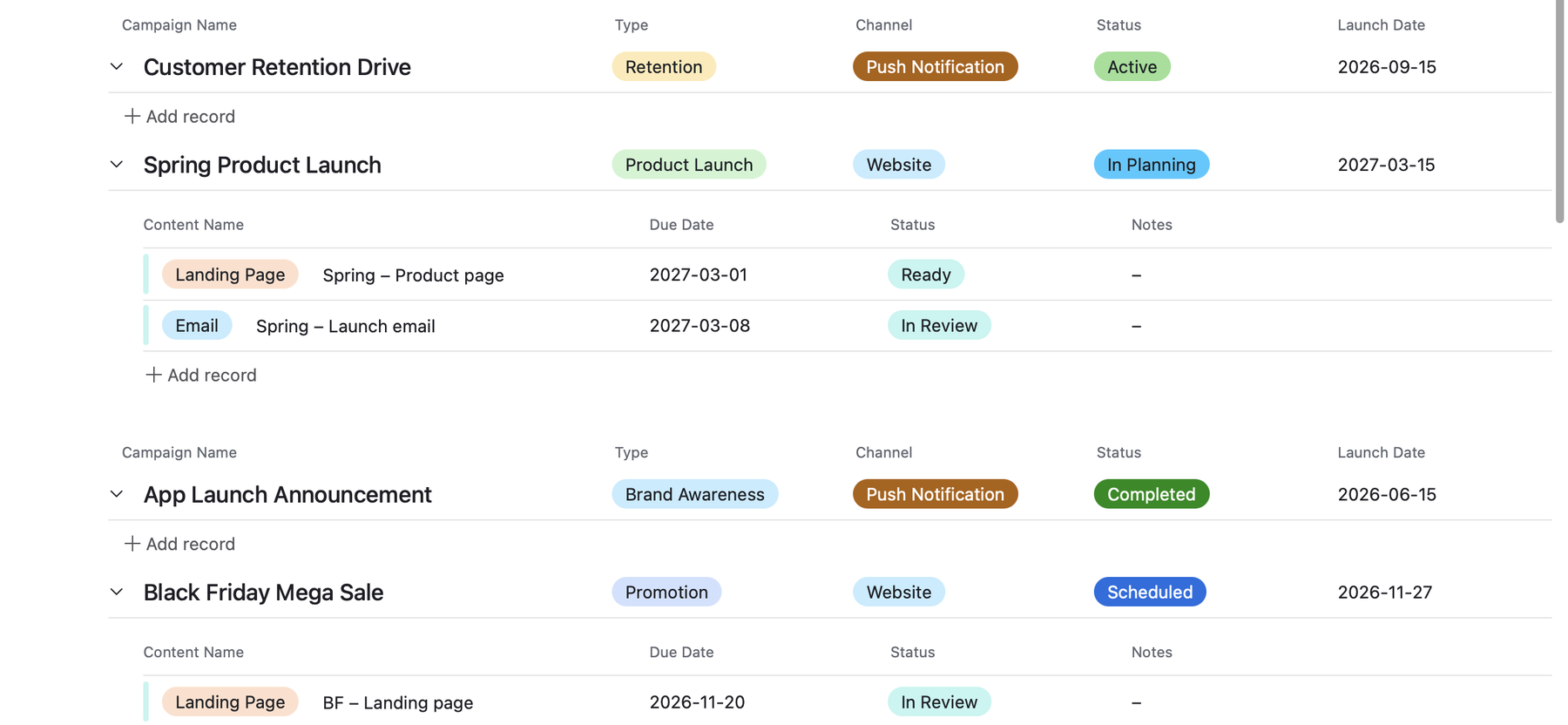
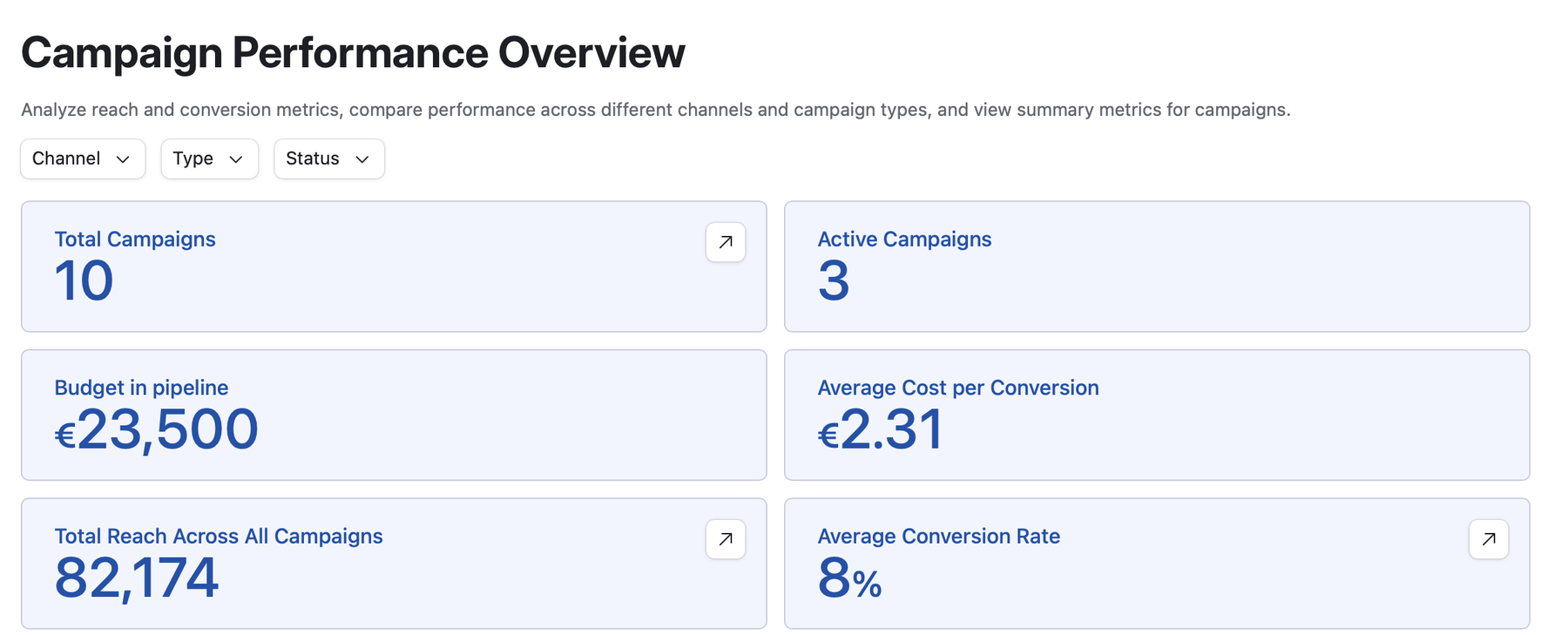
A conditional rollup counts the content pieces marked Ready against the total linked, which gives each campaign a readiness score. Conversion rate and cost per conversion are formulas; cost per conversion uses actual spend when it is recorded and falls back to budget when it isn't, so planned and live campaigns share one field without mixing up what the number means.
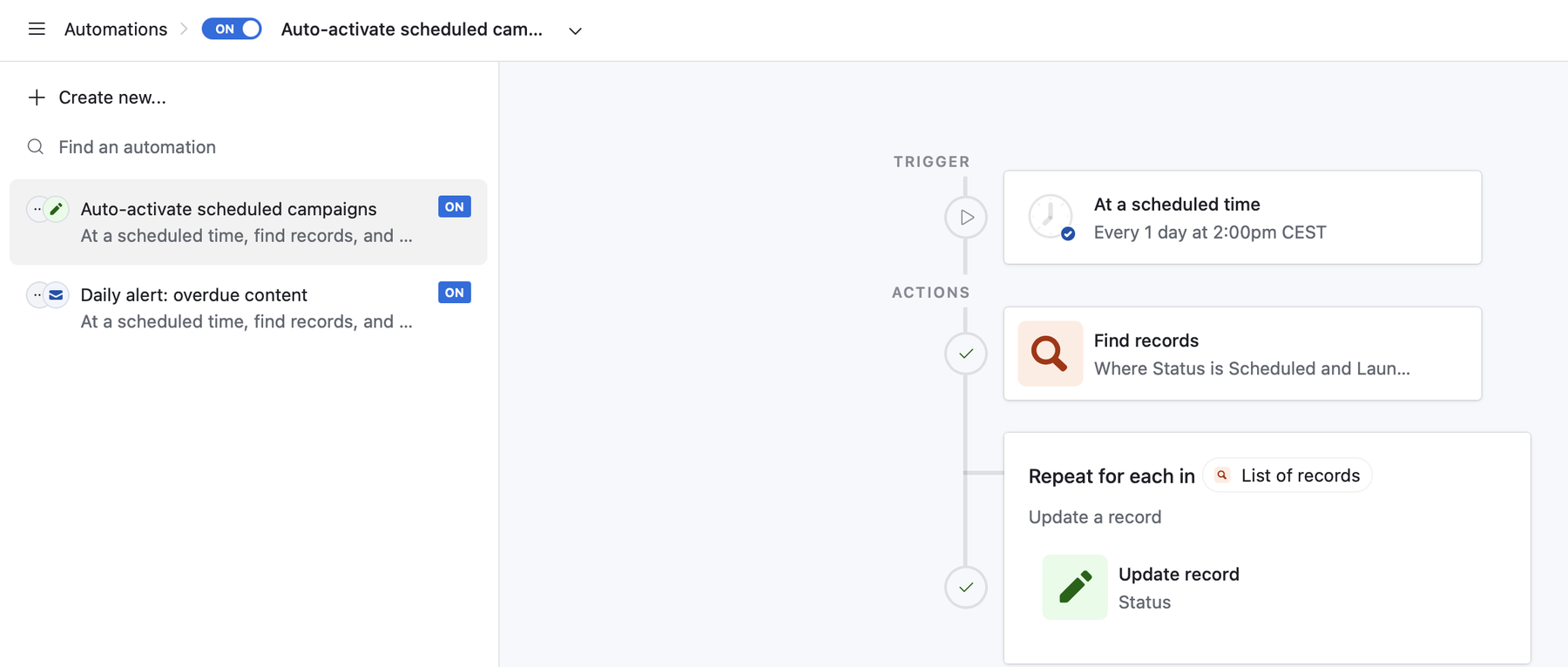
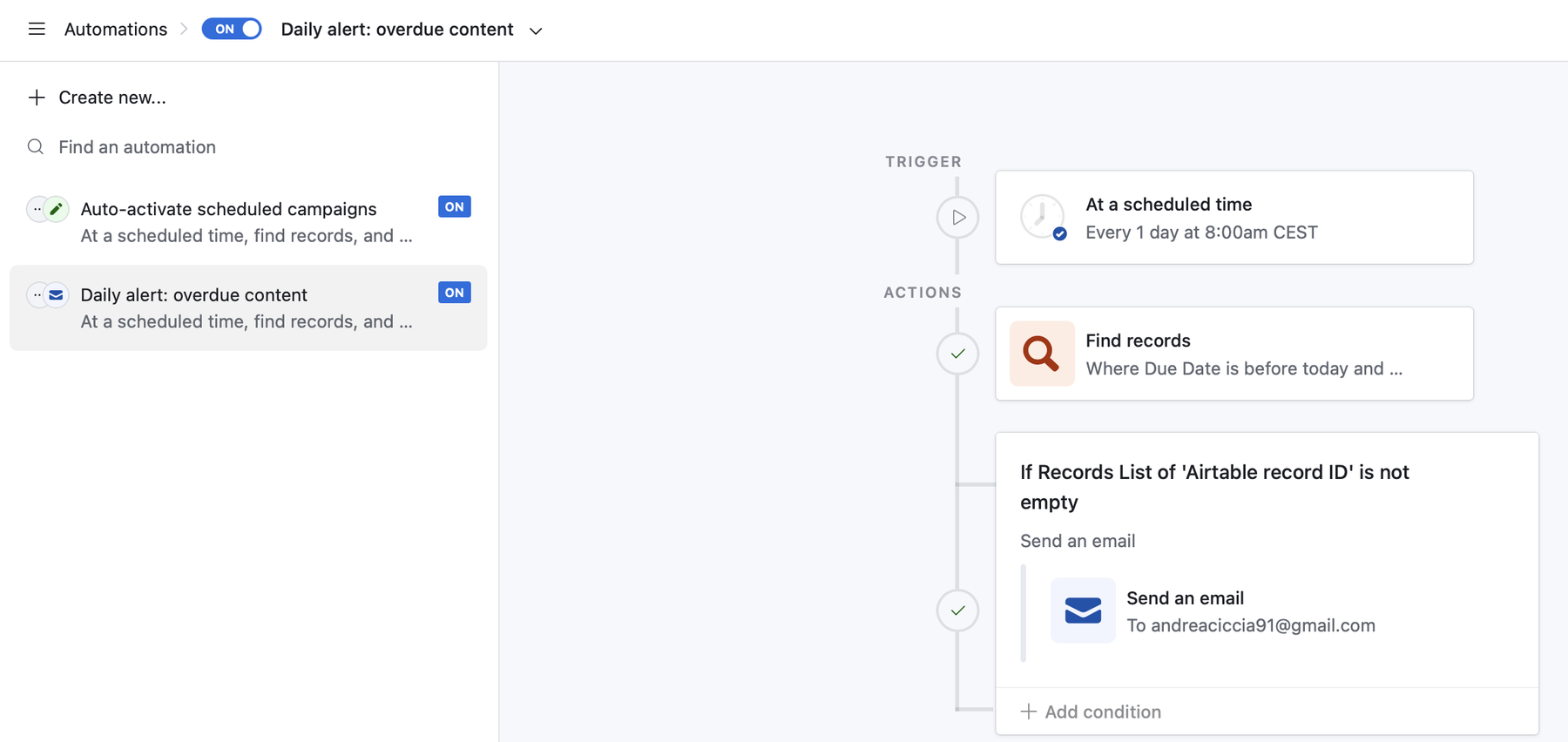
Auto-activate runs every day at 14:00: it finds Scheduled campaigns whose launch date is today or earlier and moves them to Active. Overdue alert runs every day at 08:00: it finds content past its due date that isn't Ready or Published, and sends an email listing it only if that list isn't empty.
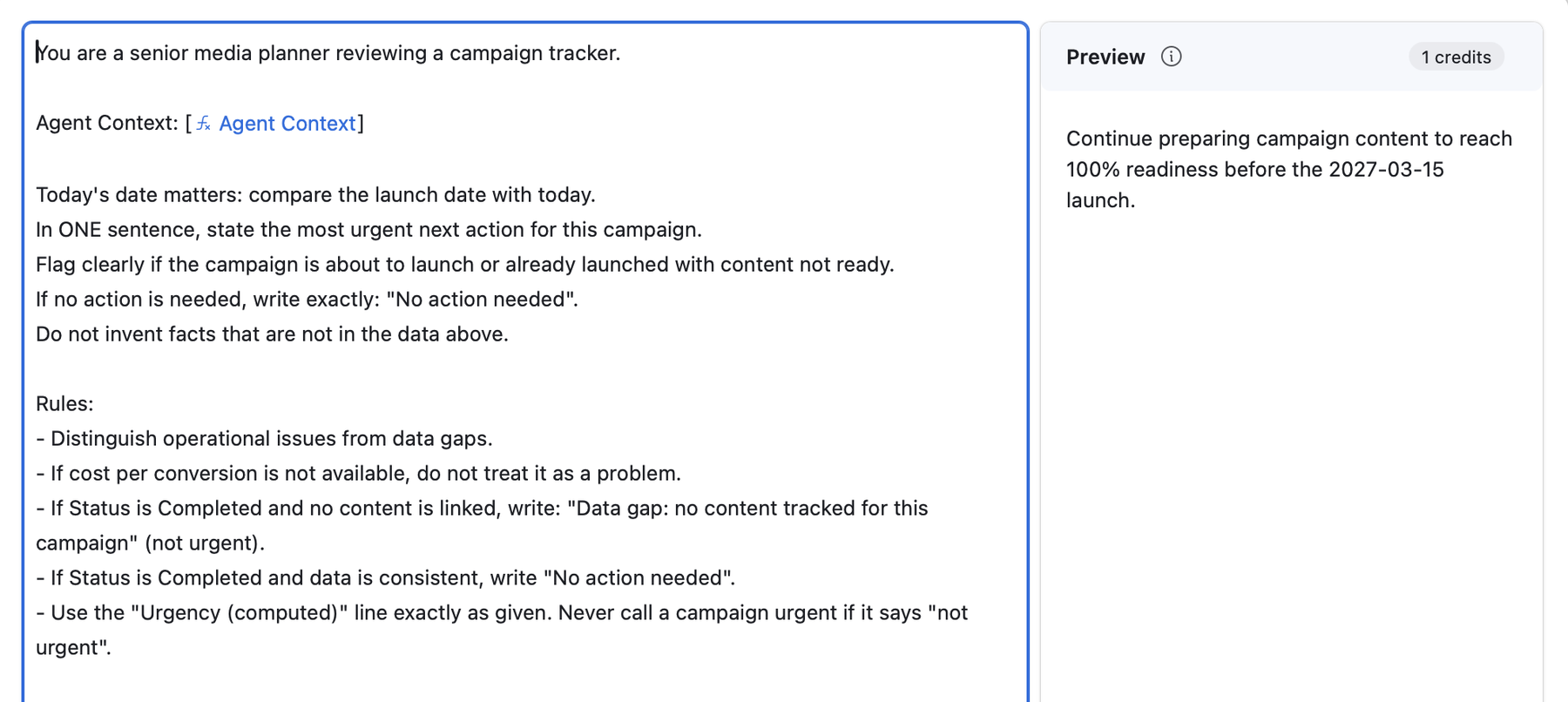
An AI field writes the single most urgent action for each campaign, in one sentence. It doesn't read raw cells: a formula assembles a context block with status, launch date, days to launch, end date, readiness, a computed urgency flag, cost per conversion and notes, with an explicit value for every empty field (not set, no content linked, not available) so the model never has to guess what a blank means.
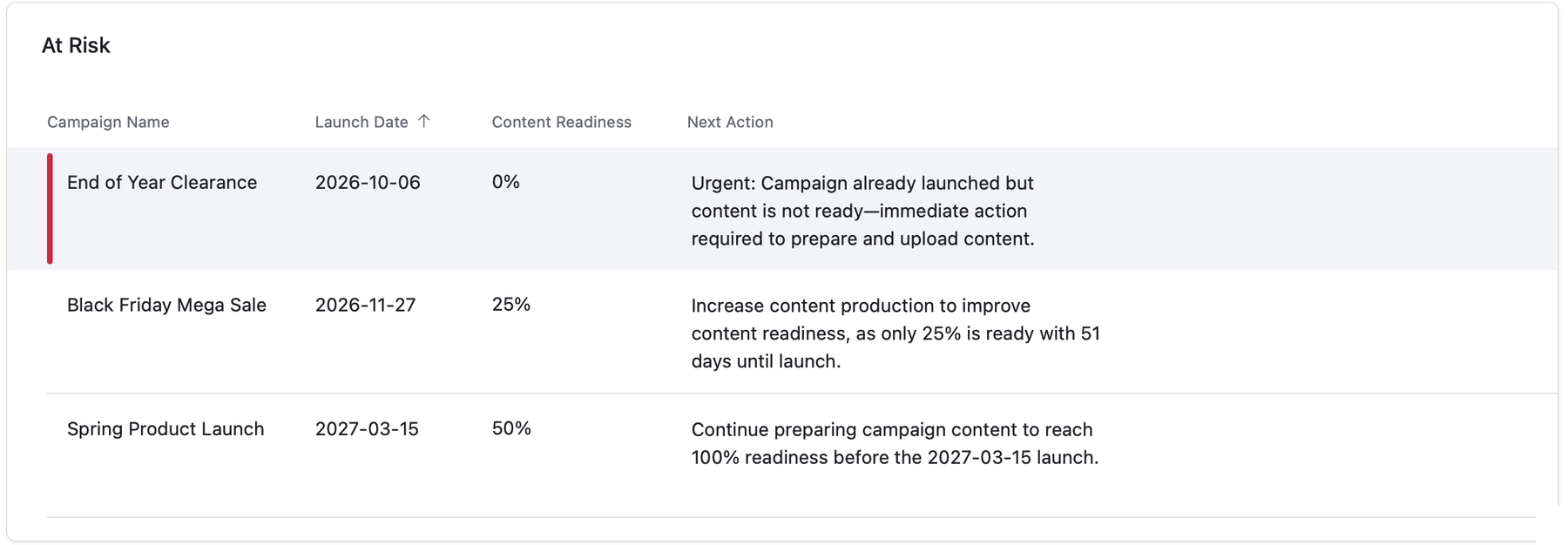
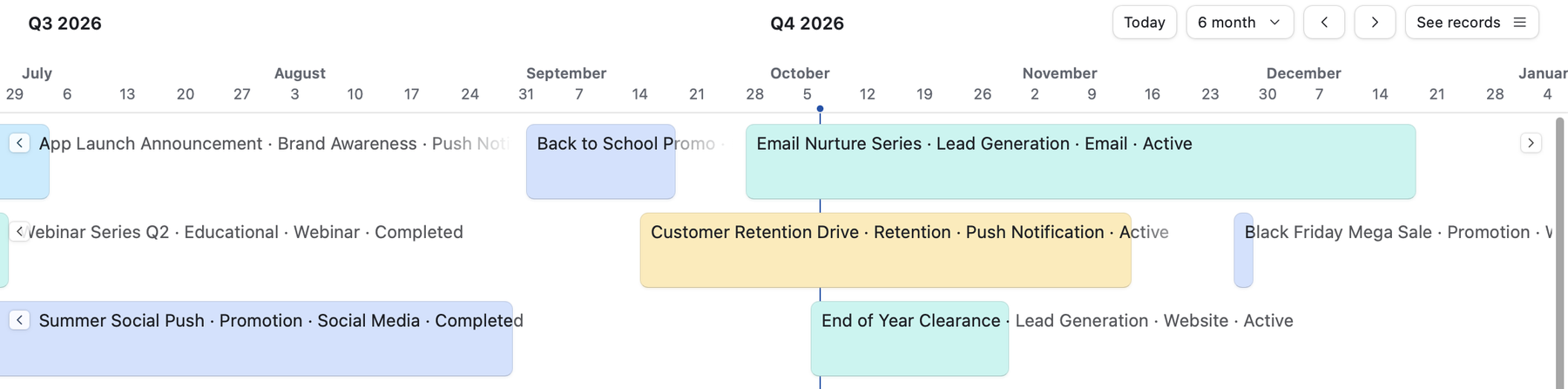
The dashboard answers how are we doing, the timeline answers what's running when, the content view answers what's left to produce. All three are shared as read-only live views.
Status, type, channel and format are fixed lists, not free text, so filters, charts and the agent always see the same values. One typo in a free-text status is enough to drop a campaign out of every view that filters on it.
The agent reads a single formula field instead of five raw columns. The formula decides how every value is presented, including the empty ones, so changing what the agent sees is a formula edit, not a prompt rewrite.
Anything that can be computed is computed: days to launch and the urgency flag are formulas. The model's job is only to turn a known state into a clear sentence. That's also how the urgency bug below was fixed for good.
Activation checks for Scheduled campaigns whose launch date is today or earlier, so if a run is ever missed, the next one catches up instead of leaving a live campaign marked as scheduled.
A daily email gets ignored by day three. The overdue alert sits behind a condition: no overdue content, no email.
Before trusting the agent, I ran it against the edge cases in the data and read every output against the record behind it.
A completed campaign with no linked content was flagged as something to fix, as if it were still running. The real issue wasn't operational: the content had simply never been tracked.
Fix: explicit rules separating operational issues from data gaps. A completed campaign with no tracked content now returns Data gap: no content tracked for this campaign, marked as not urgent; a completed campaign with consistent data returns exactly No action needed.
The first version had no sense of urgency at all: every gap got the same weight. I added a rule to the prompt, urgent only within 14 days of launch with content not ready, and the model still labelled a campaign 51 days out as urgent.
Fix: the rule moved out of the prompt. A formula computes days to launch and an URGENT / not urgent flag; the prompt tells the agent to use that line exactly as given. The 51-day campaign now reads as what it is: behind, not urgent.
Campaigns that haven't launched have no cost per conversion yet. The context now says so explicitly, and a rule tells the agent not to treat a missing cost per conversion as an issue.
The output is limited to one sentence and to the fields the agent is given: it isn't allowed to invent facts.
The base is ready for real spend data: Spend to Date already drives cost per conversion, which falls back to budget when no spend is recorded. The next step is a sync that pulls an Ads Manager export into the base through the Airtable API.
Built with Airtable: linked tables, formulas, conditional rollups, scheduled automations, AI fields and Interface Designer. All campaign data is fictional and exists only to exercise the system.
If a team is chasing status in spreadsheets and inboxes, I can build the base, the automations and the views around it.
Get in touch →