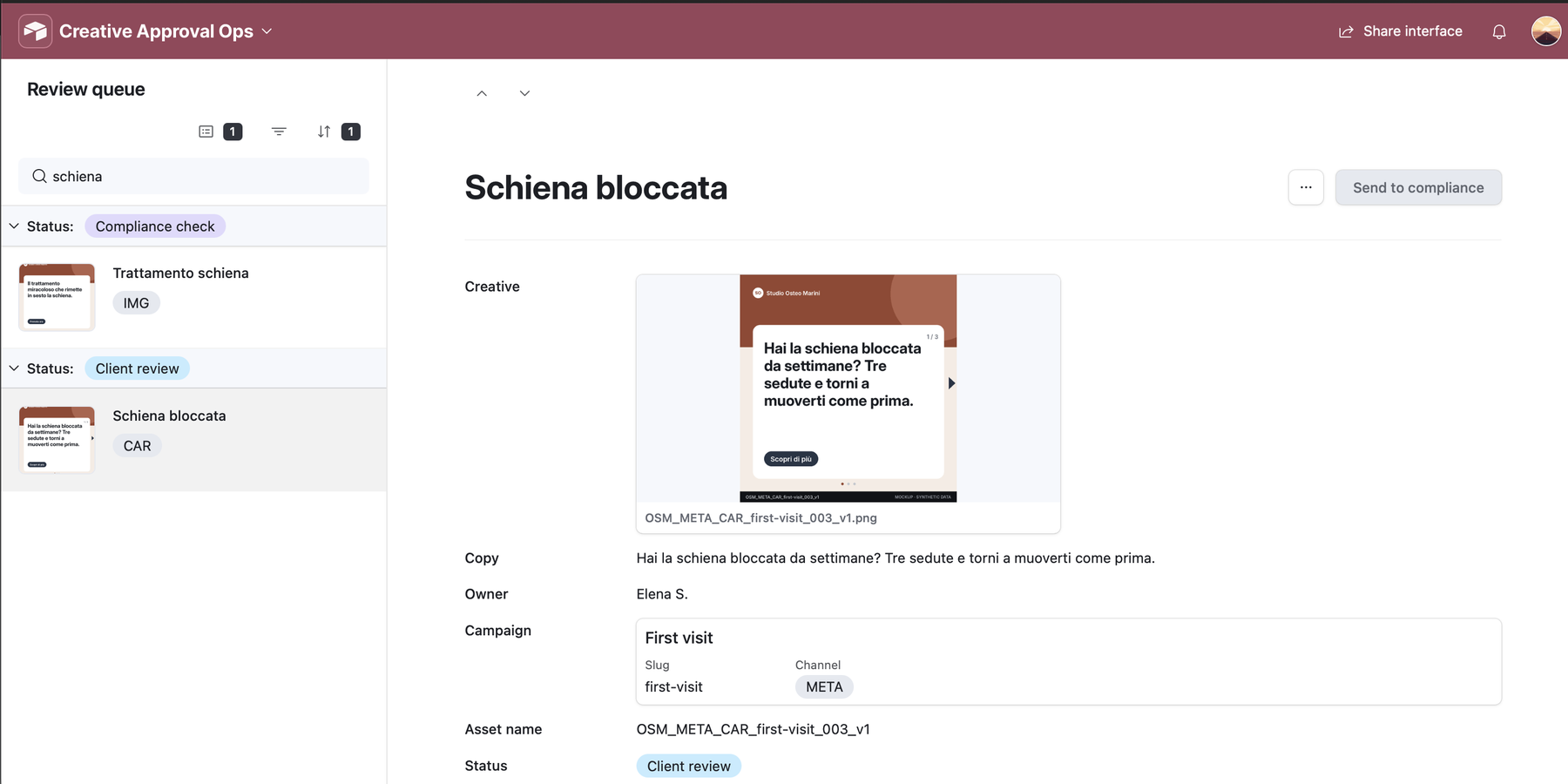
A compliance-gated approval workflow for healthcare ad copy: a regex for forbidden terms, an AI check for the claims a regex can't see, a guarded status path with a full audit log, and a per-client SLA. Built on Airtable's free plan.
All data is synthetic: the agency, the three clients, the people and the ad copy are invented. The compliance rules are simplified summaries of healthcare-advertising principles and of Meta's personal-attributes policy, written for this demo. They are not legal advice.
Healthcare ads fail on two kinds of risk: claims a regulator or an ad platform would reject, and the client's own brand rules.
The usual setup is a shared sheet, a status column anyone can overwrite and an approval history that lives in email threads. When a claim slips through, nobody can say who approved it, or whether anyone checked it at all.
This base keeps the rules, the checks and the history in one place. Every asset is checked twice before a person decides, moves only along allowed paths, and leaves one log row for every status change.
Each compliance rule is a row: type, severity, a regex pattern or a plain-language explanation, and its source. Rules link to the clients they apply to, and rollups compile them per client into one regex and one brief for the AI. Adding a rule to a client changes both checks on every asset of that client, with no automation edited.
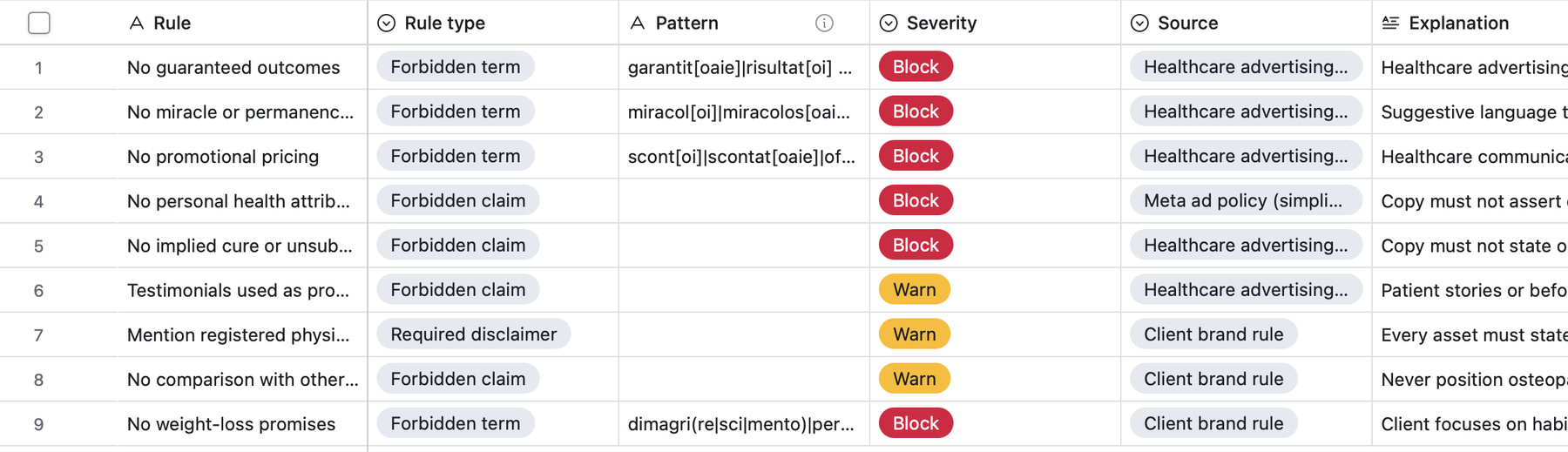
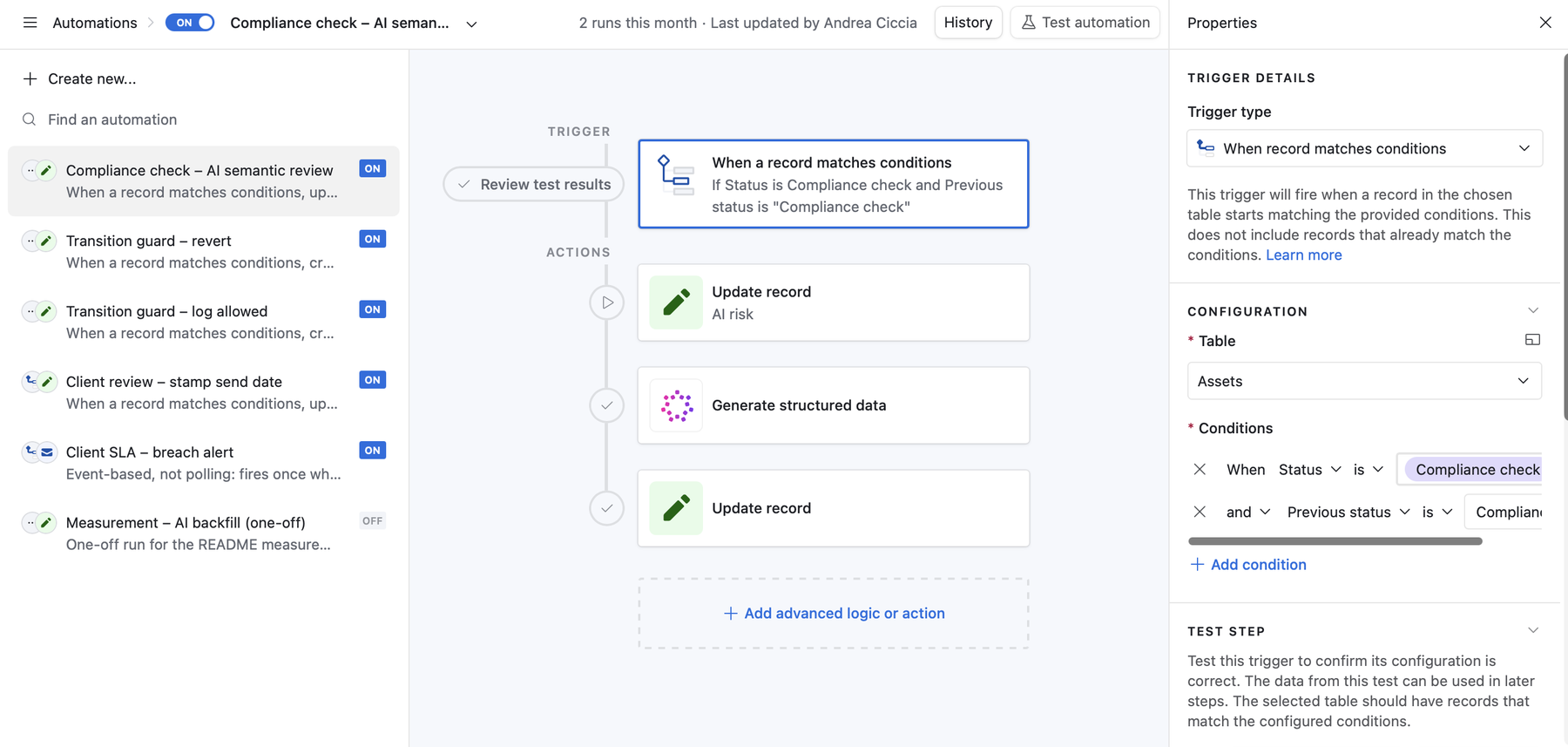
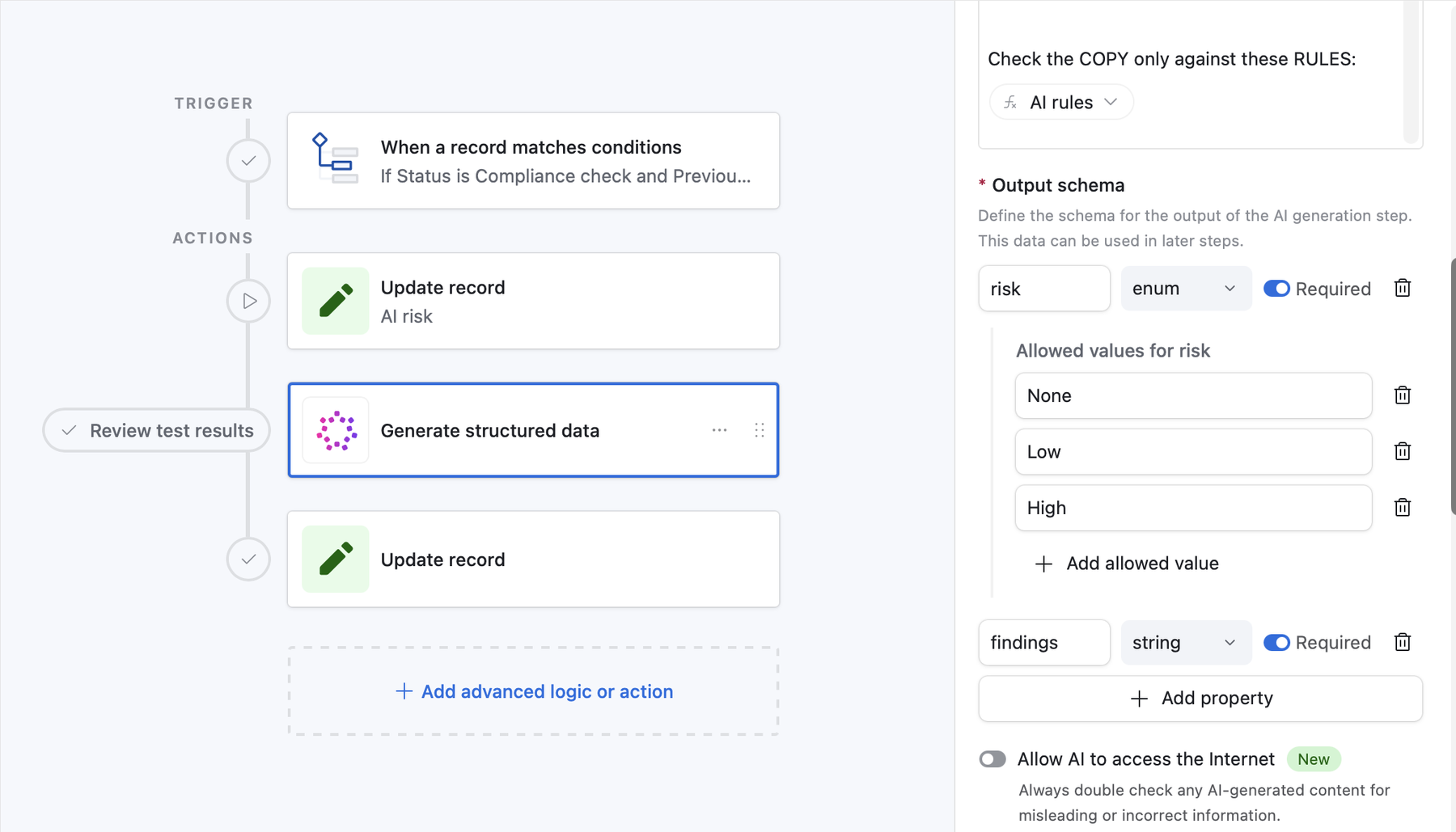
A formula runs the client's compiled regex against the copy: free, instant and auditable. The AI receives only the rules a regex can't apply (implied cure, personal health attributes, comparisons with other professions, testimonials as proof, missing disclaimers) and returns a risk from a closed list, None, Low or High, with one quoted line per violation.
It runs at randomness 0, without internet access, and writes only to its own two fields. It never moves an asset. If the step fails, the asset stays marked Unchecked.
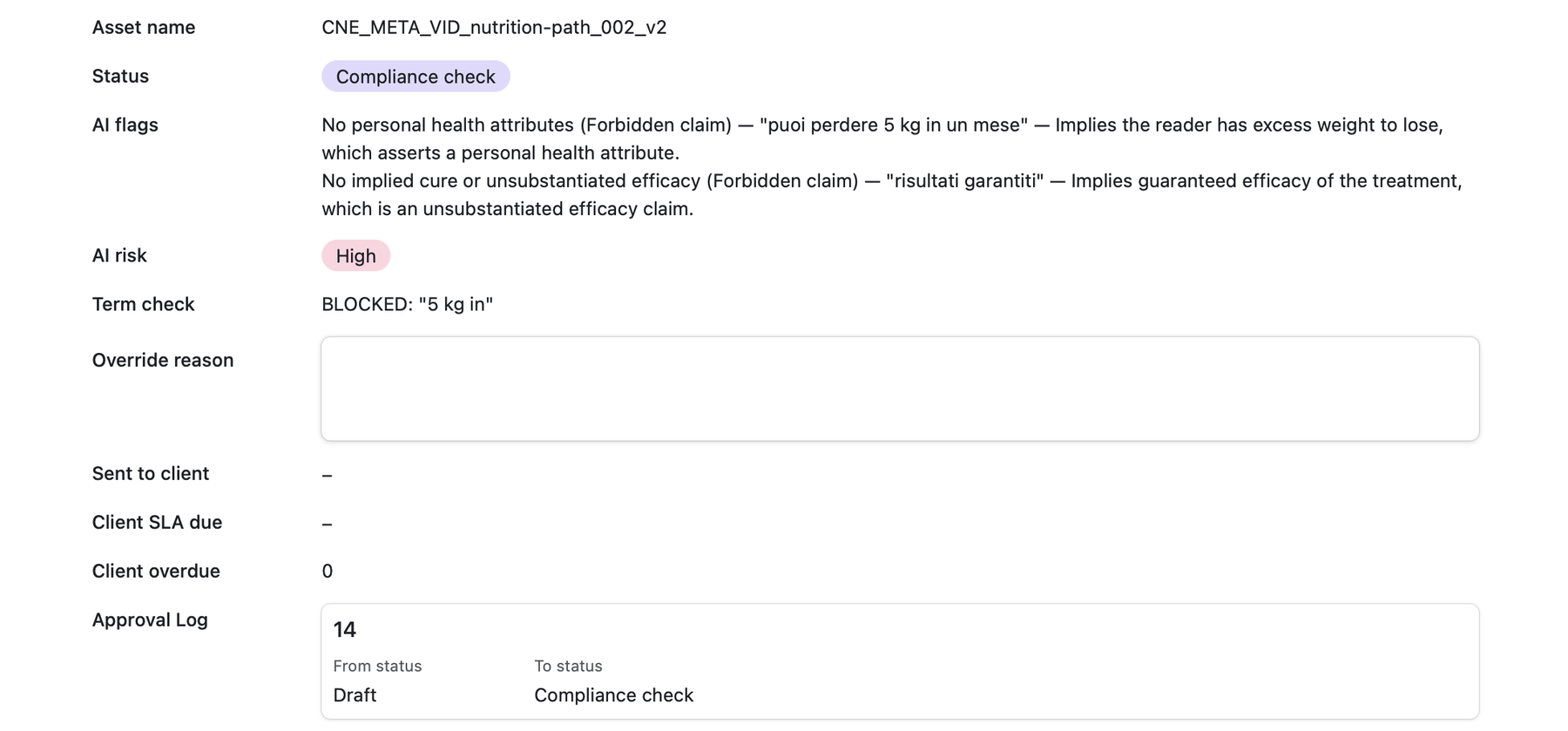
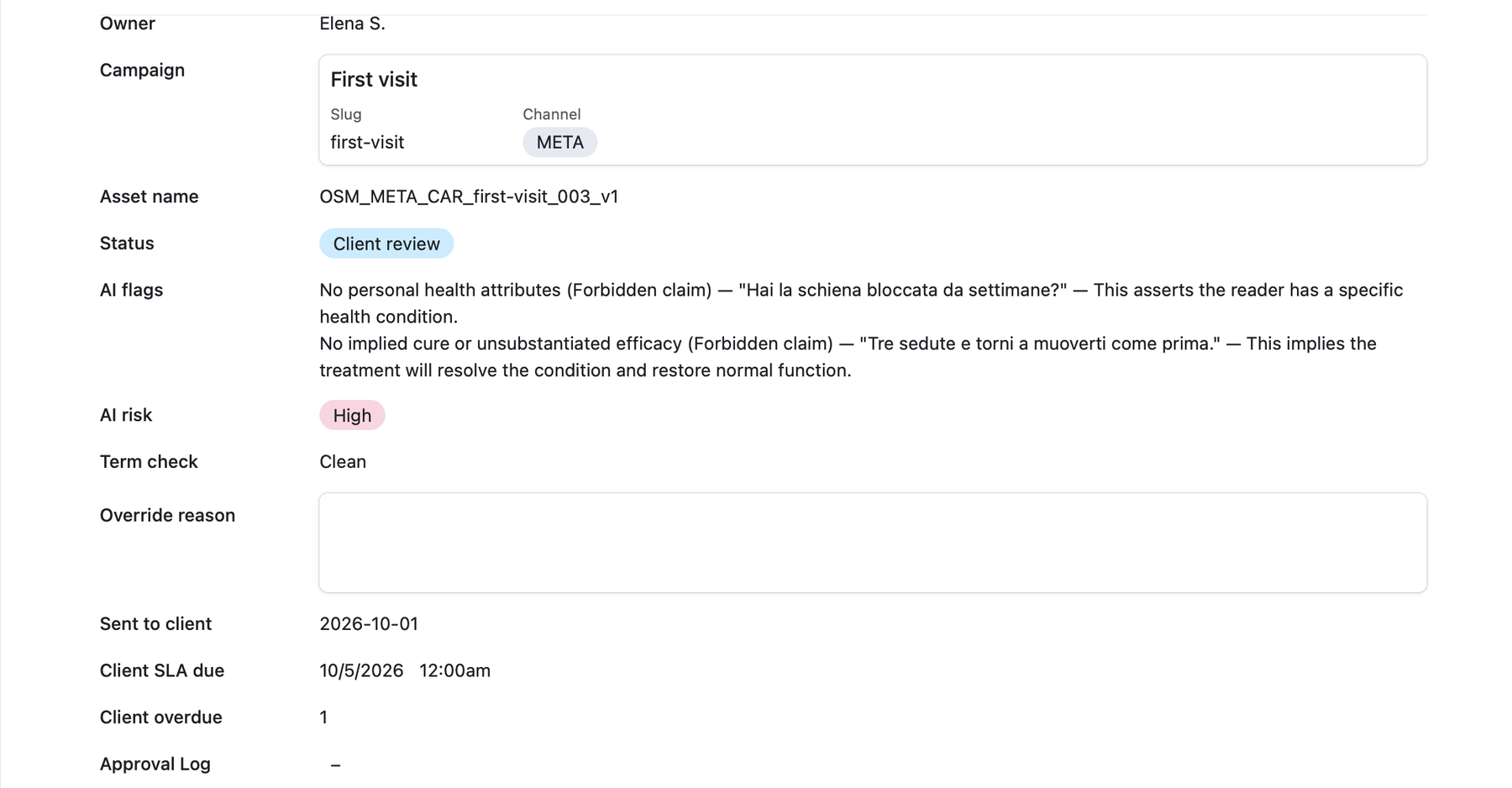
Airtable can't refuse a save, so the base detects and corrects. A Previous status field holds the last valid state and only automations write to it. A formula compares it with Status against the allowed paths and two gates: a forbidden term can't leave compliance forward, and a High AI risk can't reach the client without a written override reason.
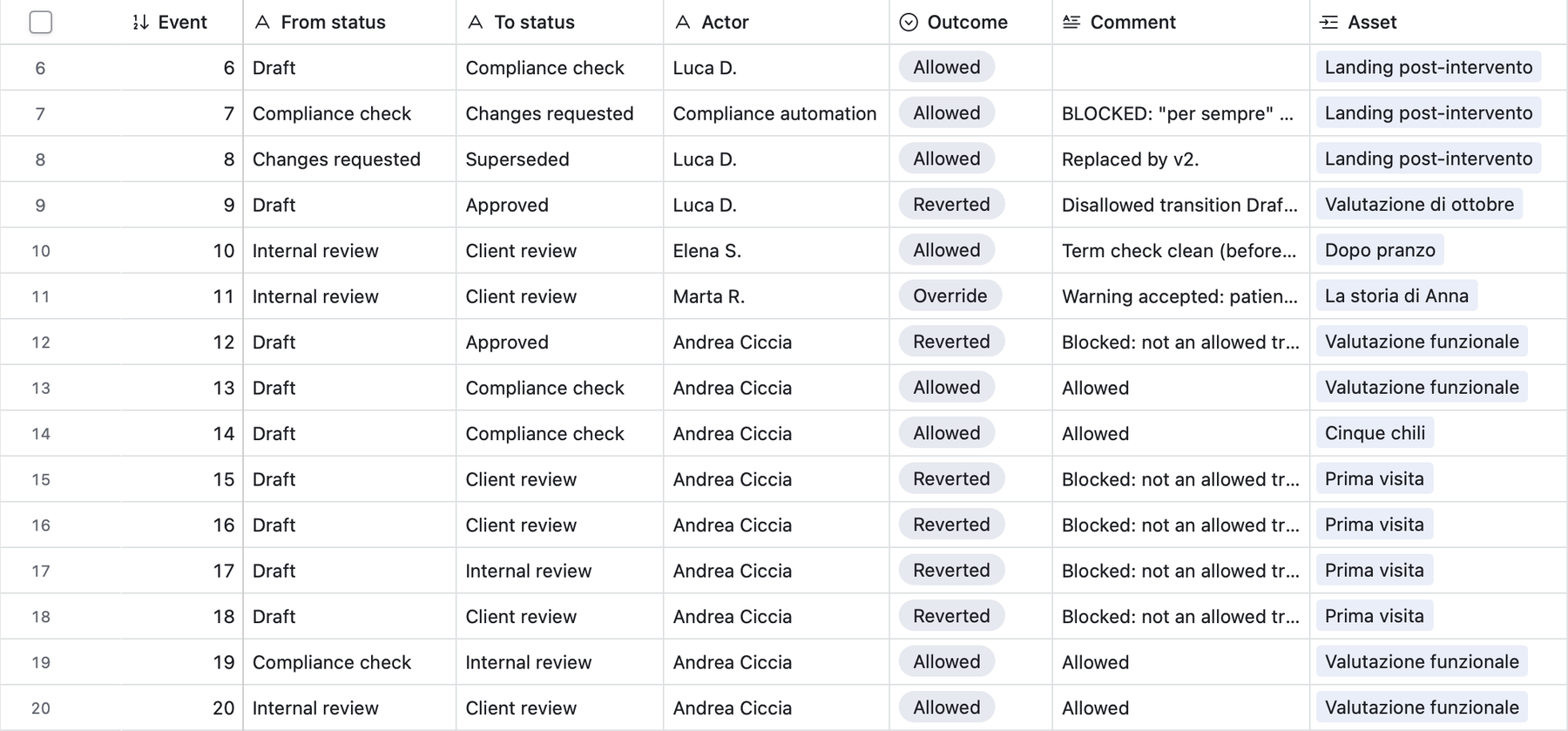
One automation reverts blocked moves, writing the log row first so the attempted status isn't lost; another confirms allowed ones. After either acts, the two fields match again and the trigger re-arms: no loops, one log row per change.
Compliance, internal review and client review can also send an asset to Changes requested, which leads back to Draft or to Superseded. Every other move is reverted.
Each client has its own approval time in business days. An automation stamps the send date when an asset reaches the client, a WORKDAY formula sets the deadline, and an email goes to the owner once, when the asset becomes overdue. Overdue assets sort to the top of the queue.
The free plan has no scripting actions and no conditional buttons, and allows about 100 automation runs a month. Every step uses native actions. A status change costs one run, plus one for each AI check, send to client and SLA breach.
A forbidden word doesn't need a model. The regex costs nothing, gives the same answer every time and shows exactly what it matched. The AI gets only the judgement calls, so its cost and its errors stay confined to the part that needs it.
The model can't approve, reject or move anything. A High risk can still go to the client, but only with a written override reason on the record, and the move is logged under the name of whoever made it.
Reviewers move assets only with buttons, so most invalid moves never happen. The guard is there for what the grid or an integration still lets through.
A daily check for late approvals would spend a run every morning whether or not anything is late. The alert fires once, at the moment an asset becomes overdue.
Asset names follow CLIENT_CHANNEL_FORMAT_campaign-slug_ID_vN and come from a formula. A missing piece shows up as INCOMPLETE: missing … instead of a half-typed name.
Clicking Send to client on a Draft asset put it in Client review for a few seconds before the guard reverted it. That was long enough for the send-date automation to fire, and the asset showed a client deadline for a send that never happened.
Fix: every downstream trigger now requires both Status and Previous status to match. Automations react only to confirmed states.
The first naming convention, client, channel, format, campaign and version, looked unique on paper. Seeding the dataset produced four identical names.
Fix: an auto-number ID inside the name, so uniqueness no longer depends on how the other fields happen to combine.
One run of the AI check over all 30 synthetic assets, compared with the violations planted in the dataset: 15 assets with at least one violation, 15 clean.
| Regex | AI | Regex + AI | |
|---|---|---|---|
| Assets with forbidden-term violations (8) | 8/8 | — | 8/8 |
| Assets with semantic-only violations (7) | 0/7 | 7/7 | 7/7 |
| All non-compliant assets (15) | 8/15 | — | 15/15 |
| Individual semantic violations caught (14) | 0 | 13/14 | 13/14 |
| False flags on clean assets (15) | 0 | 0 | 0 |
The regex alone caught 8 of the 15 non-compliant assets; adding the AI check caught all 15, with no false flags on clean copy. Read it as a consistency check, not a benchmark:
Built with Airtable on the free plan: linked records, rollups, regex and WORKDAY formulas, native automations, the Generate structured data action and Interface Designer. AI assistance covered the mechanical parts (schema, formulas, seed data, supporting automations); the interface, the core automations and the AI step are my own build.
If creative sign-off lives in a shared sheet and an inbox, I can build the rules, the checks and the trail around it.
Get in touch →